Documents
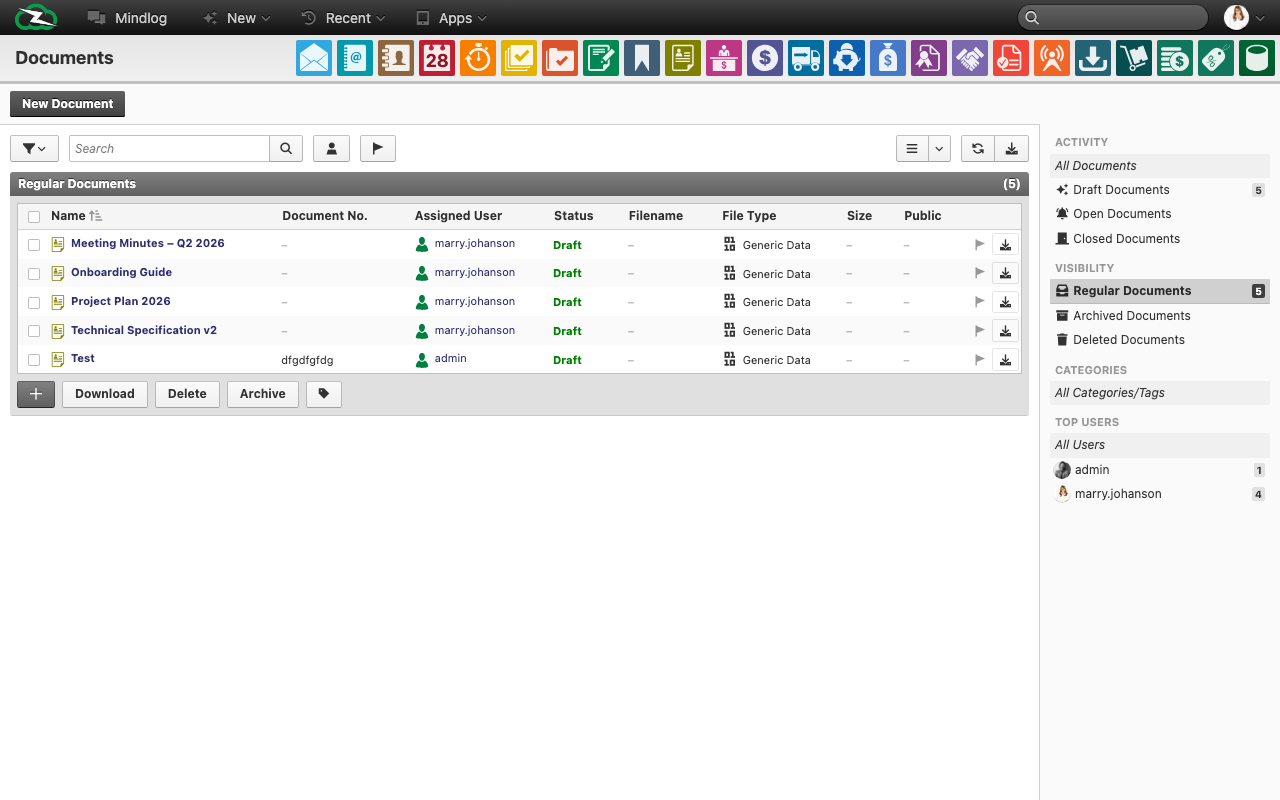
The Documents module is the structured document workspace in ZeyOS. It is different from the raw Files browser because documents carry their own business metadata, visibility, workflow state, and related records.
Documents vs Files
The distinction matters:
- Documents = document records with status, assignee, numbering, visibility, and an attached file
- Files = the live browser of stored files, exports, and uploaded binaries without the same document-level workflow context
If you want to manage a document as a business object, use Documents. If you simply need to browse stored files, use Files.
What You See on the Page
The live document list includes fields such as:
- Name
- Document No.
- Editor / Assignee
- Status
- Filename
- File type
- Size
- Public
The live page also exposes visibility and activity filters as well as actions such as Download, Delete, and Archive.
Typical Workflow
- Create a new document record.
- Upload or attach the relevant file.
- Set metadata such as title, assignee, and status.
- Link the document to related business objects if required.
- Use the document lifecycle instead of relying only on the underlying file storage.
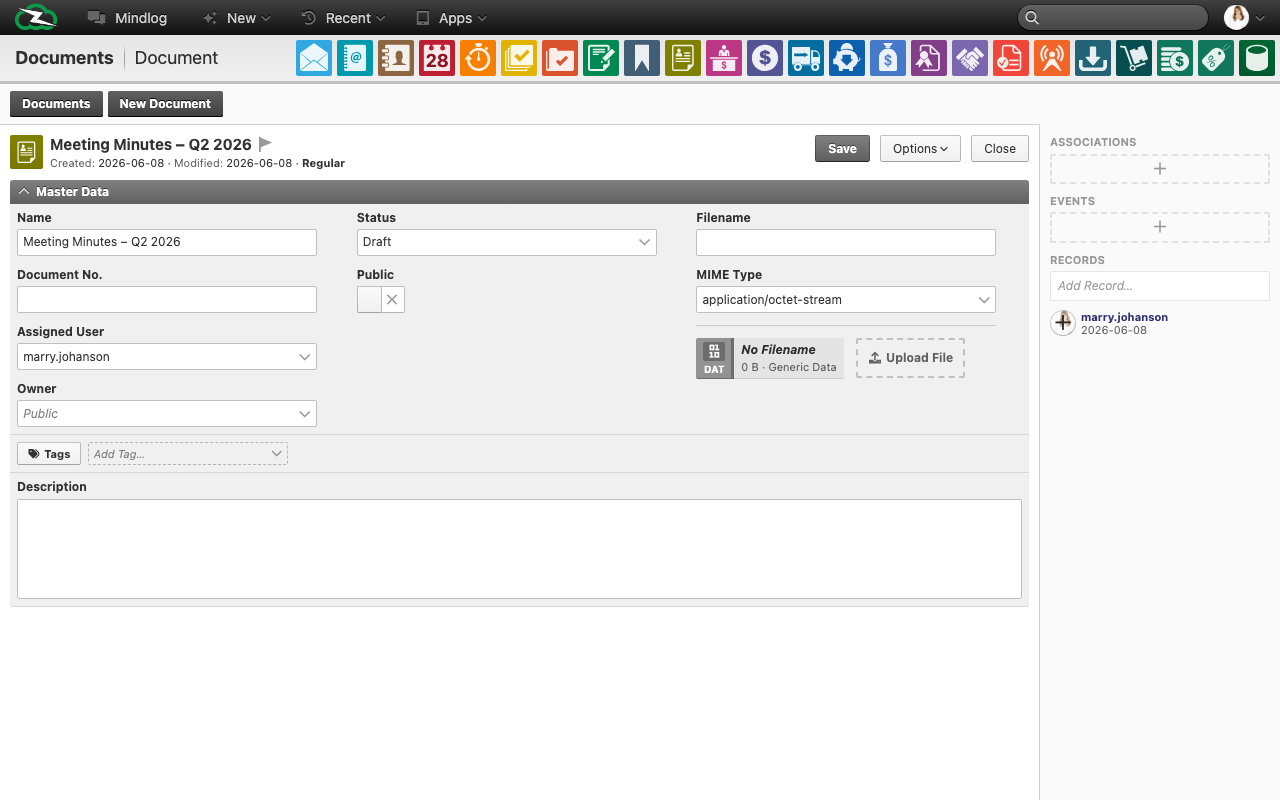
The document form combines record metadata on the left with the file attachment area on the right. Set the Status to control where the document sits in its lifecycle, toggle Public to make it accessible outside the team, and use the upload area to attach the actual file.
When This Page Needs Clearer User Training
Users often confuse these two questions:
- "Where is the file stored?" which points to Files
- "Where is the document record managed?" which belongs in Documents
That distinction becomes especially important when teams need approval-style workflows, public visibility, or stable document numbering.
Best Practices
- Use document records for business-relevant files that need ownership or status.
- Use consistent naming so the document title and attached filename remain understandable together.
- Archive document records instead of losing traceability through ad-hoc file storage alone.