Procurement
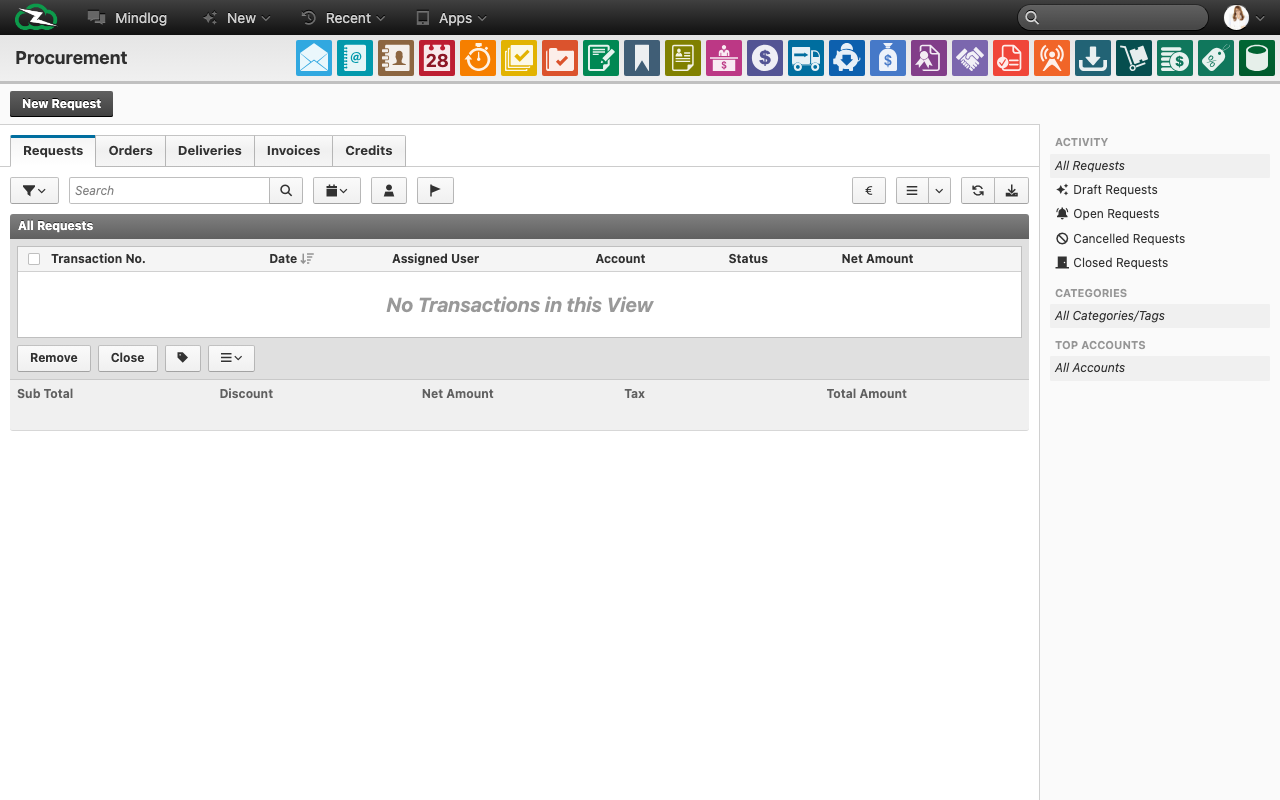
The Procurement module is the purchasing-side counterpart to Invoicing. It manages supplier-facing requests, orders, deliveries, invoices, and credit notes in one structured document flow.
What This Page Is For
Use Procurement when your organization needs to request, order, receive, and settle goods or services from suppliers.
Procurement Document Flow
The procurement process is typically organized as:
- Requests
- Orders
- Deliveries
- Invoices
- Credit Notes
This lets you track a supplier-side process from initial demand through final financial settlement.
What You See on the Page
Across the document tabs, the live list includes fields such as:
- Transaction No.
- Date
- Assignee
- Account
- Status
- Net amount
The module also includes:
- a new-transaction action for the active tab
- activity and account filtering
- bulk processing actions
- summarized commercial totals for the filtered list
Procurement vs Invoicing
The interface is deliberately similar to Invoicing, but the commercial perspective is reversed:
- Invoicing is customer-facing sales processing.
- Procurement is supplier-facing purchasing processing.
In other words, the same document logic exists, but the business side changes from selling to buying.
Typical Workflow
- Create a request when you need supplier input or pricing.
- Convert the request into an order when the supplier is confirmed.
- Record the delivery when goods are received.
- Register the supplier invoice.
- Use a credit note for corrections, returns, or supplier-side reversals.
How Procurement Connects to Other Modules
Procurement records often connect to:
- supplier accounts
- inventory articles and quantities
- inbound stock movements
- outgoing payments
- ticket or project work when external services are involved
That makes Procurement both a financial and operational module.
Best Practices
- Convert supplier documents through the workflow instead of creating disconnected records.
- Keep supplier accounts and article purchasing data accurate.
- Distinguish clearly between received goods and received invoices.
- Use procurement transactions to preserve traceability for stock and cost history.
- Align status usage across teams so open purchasing commitments are visible at list level.
Related Topics
- Invoicing - Sales-side document flow.
- Payments - Record supplier settlement.
- Inventory Management - Purchased goods affect stock.
- Business Accounts - Supplier-side master data lives there.