Payments
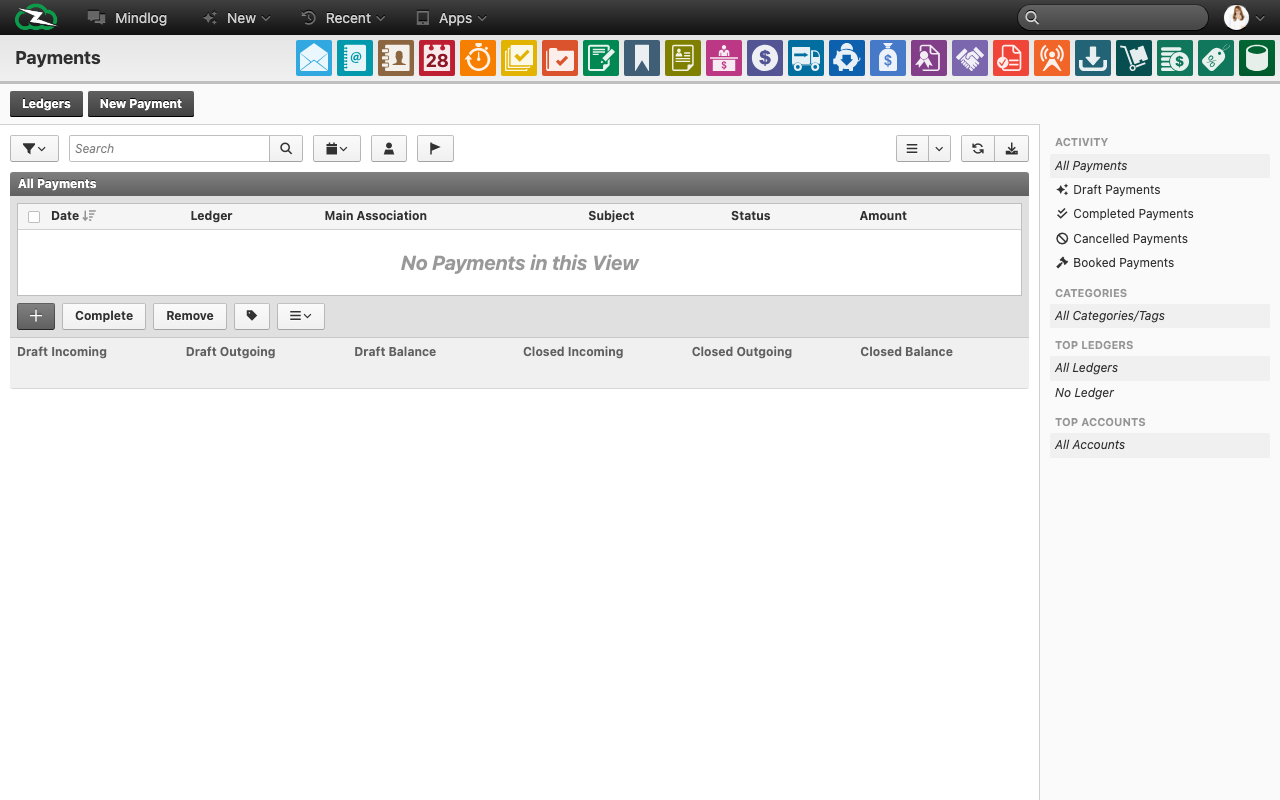
The Payments module records money movement in ZeyOS. It is used for incoming customer payments, outgoing supplier payments, and the operational settlement layer that sits after invoicing or procurement.
What This Page Is For
Use Payments when a financial transaction needs to be registered, assigned to a register, and linked to the relevant commercial document.
What You See on the Page
The live payment list includes fields such as:
- Date
- Register
- Main reference
- Subject
- Status
- Amount
The module also includes:
- a Registers action
- a New Payment action
- activity, register, category, and account filters
- list-level actions for completing or removing selected entries
Registers
Registers are the organizational containers for payments. They usually represent:
- bank accounts
- cash registers
- payment channels such as cards or online providers
Users should set up and use registers consistently so payment reporting and reconciliation stay understandable.
Typical Workflow
- Choose or create the correct register.
- Create the payment entry.
- Set the direction as incoming or outgoing.
- Link the payment to the correct invoice, procurement transaction, or other main reference.
- Move the payment through the relevant processing status.
Payment Status
Typical payment states include:
- Draft
- Completed
- Booked
- Cancelled
The exact operational meaning depends on your finance process, but users should understand that a payment record is not fully settled just because it exists in draft form.
Payments vs Collections
- Payments record actual money movement.
- Collections manage overdue follow-up when payment has not happened on time.
This distinction is important because users often confuse a reminder process with actual settlement.
Best Practices
- Always link payments to the underlying document when possible.
- Use registers consistently so liquidity and reconciliation views remain trustworthy.
- Review draft payments regularly and close or cancel stale entries.
- Separate incoming and outgoing flows clearly in end-user training.
- Keep the payment subject meaningful enough for operational review.
Related Topics
- Invoicing - Creates customer-side receivables.
- Procurement - Creates supplier-side liabilities.
- Collections - Manage overdue follow-up when payment is missing.