User Management
User Management is where administrators maintain the identities that can sign in to ZeyOS. In the live interface it is part of the same workspace as group administration, but the Users tab focuses on individual login accounts.
What This Page Is For
Use this page to create user accounts, review account status, manage invitations, and confirm who still needs access to the system.
Who Should Use It
This page should be maintained by administrators or team leads who are responsible for granting or withdrawing access.
What You See on the Page
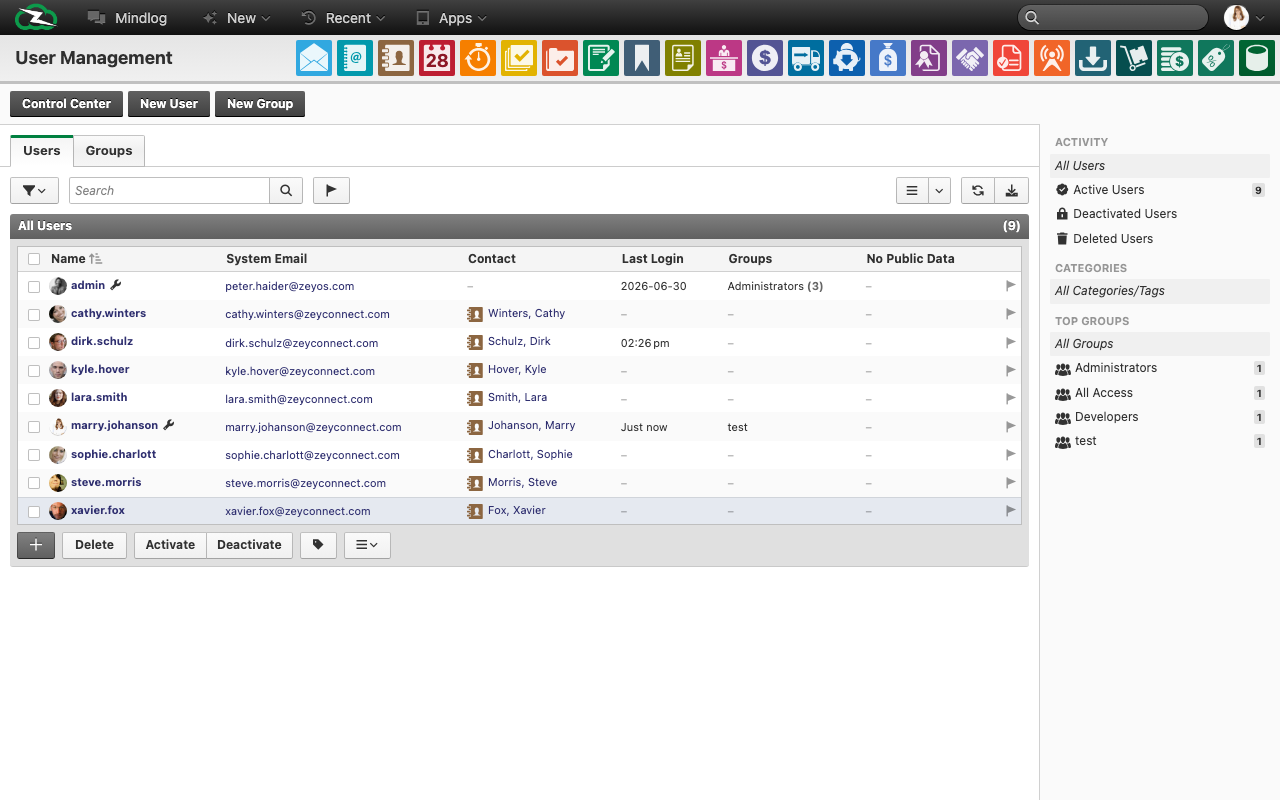
The live user list includes fields such as:
- Name
- System email
- Linked contact
- Last login
- Group memberships
- No shared data indicator
The right sidebar provides filters for activity status, tags, and top groups. The bottom action bar includes bulk actions such as Delete, Activate, Deactivate, Reinvite, and Reset login attempts.
Typical Tasks
Create a new user
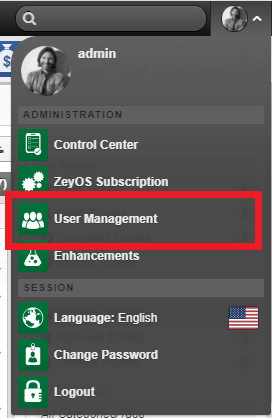
- Open Control Center > User Management and stay on the Users tab.
- Click New User.
- Enter the required identity data such as user name, email address, and initial access details.
- Link the user to a contact record where appropriate.
- Save the record and assign the correct groups.

Maintain an existing account
Open the user record when you need to:
- update contact or profile details
- change group memberships
- reactivate or deactivate the login
- reset login attempts after an account lockout
- check whether the user is still active and relevant
Handle API-only or restricted identities
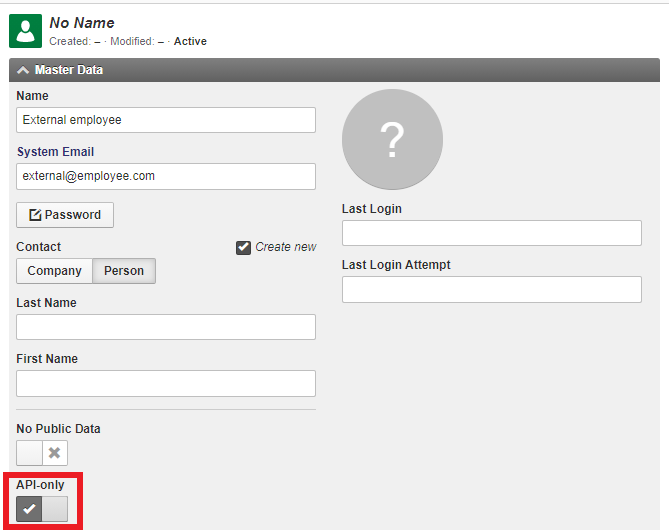
Not every identity needs a regular browser login. Use specialized or API-oriented accounts only when there is a clear integration or service need, and document why the account exists.
Access Management Guidelines
- Deactivate users promptly when access is no longer required.
- Prefer deactivation over deletion when historical traceability matters.
- Review last-login information regularly to identify stale accounts.
- Keep login identities separate from customer or supplier accounts.
Related Topics
- Group Management - Users inherit access through groups.
- Permissions - Understand how group rights and ownership interact.
- Contacts & Accounts - Users can be linked to contact records.